Best Minecraft Ore Finder App: Find Ores Instantly on Mobile
By Editorial
Last updated
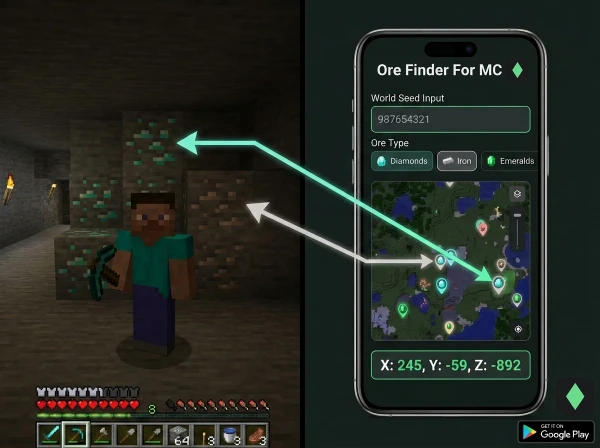
Finding ores manually in Minecraft takes hours of random mining.
Mobile ore finder apps show exact coordinates without exploring blindly.
Quick Answer: What Is a Minecraft Ore Finder App?
A Minecraft ore finder app uses your world seed to map all ore locations instantly. It shows exact X, Y, Z coordinates for diamonds, emeralds, iron, and every ore type on your phone or tablet.
No manual mining or exploring required.
Understanding Minecraft Ore Finder Apps
Ore finder apps read world seeds and calculate precise ore placement.
Every Minecraft world is generated with a numerical seed that controls everything.
Apps analyze this seed using Minecraft’s ore generation algorithms.
They display all ore locations on an interactive map with coordinates.
What ore finder apps do:
- Map diamond, emerald, and iron ore locations
- Show ancient debris and netherite coordinates
- Identify rare biomes and structures
- Calculate exact X, Y, Z coordinates
- Support Java and Bedrock editions
- Work offline after seed input
The technology uses the same generation math Minecraft uses internally.
How Ore Finder Apps Work
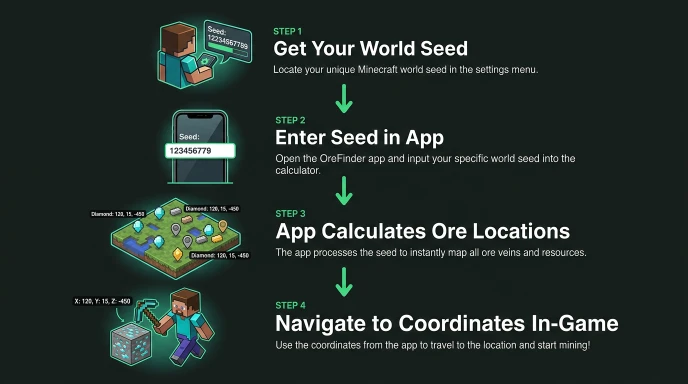
Getting Your World Seed
Java Edition: Use /seed command in chat or check world settings.
Bedrock Edition: Open Settings > Game > scroll to “Seed” field.
Copy the full seed number, including negative signs.
Using the App
- Enter your seed into the ore finder app.
- Select your Minecraft edition (Java or Bedrock).
- Choose which ore type you want to locate.
- The app displays every vein location on an interactive map.
- Tap any location to see exact coordinates.
- Navigate to those coordinates in-game using
/tpcommand.
Accuracy and Updates
Apps update when Minecraft releases new ore generation algorithms.
Version 1.18+ changed ore distribution requiring seed map updates.
Modern apps support current versions (1.20+).
Always verify the app supports your Minecraft version.
Ore Finder App vs Manual Mining
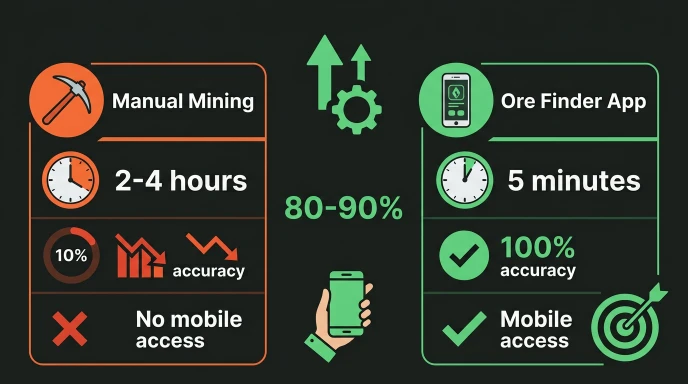
| Method | Time to Find 10 Diamonds | Accuracy | Mobile Access |
|---|---|---|---|
| Manual Strip Mining | 2-4 hours | Low | No |
| Cave Exploration | 1-3 hours | Medium | No |
| Ore Finder Website | 15 minutes | 100% | Limited |
| Ore Finder App | 5 minutes | 100% | Yes |
Ore finder apps save 80-90% of mining time.
Key Features in Quality Apps
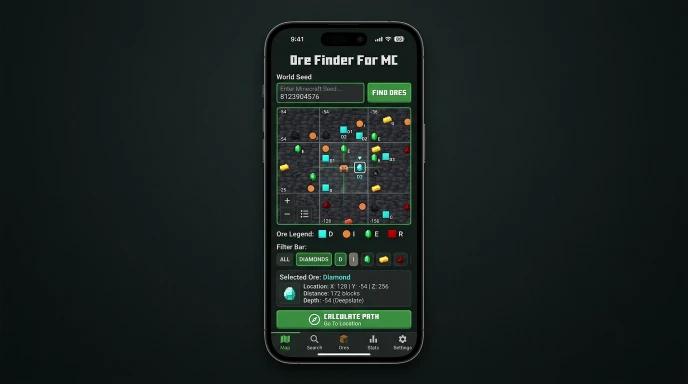
Interactive Maps
Show terrain, biomes, and structures simultaneously.
Color-coded ore types for quick identification.
Zoom in/out for macro and micro navigation.
Multiple Ore Support
Find diamonds, iron, gold, emeralds, and ancient debris.
Locate coal, redstone, lapis, and copper ore.
Show structure locations: villages, strongholds, temples.
Coordinate Display
Provide exact X, Y, Z for every resource.
Show distance to nearest ore clusters.
Display Y-level for depth guidance.
Version Compatibility
Support Java and Bedrock editions separately.
Work with current versions and recent updates.
Handle both positive and negative seed numbers.
Ore Finder For MC: Mobile Advantage
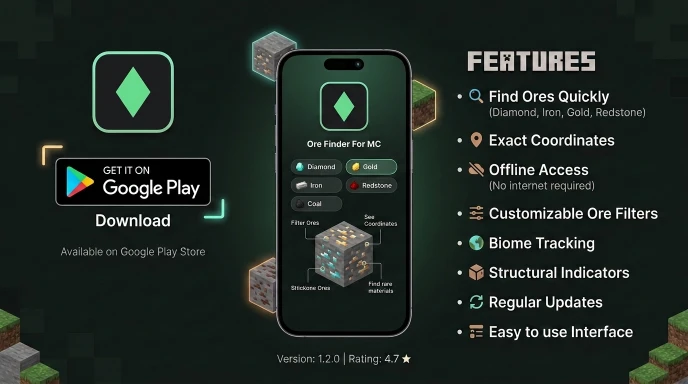
Ore Finder For MC is a dedicated mobile app on Google Play Store.
It offers identical features to the website with mobile optimization.
Use it while playing on your phone or tablet.
Check ore coordinates right from the Play Store app interface.
No browser switching or typing on game console required.
The app works offline once you input your seed.
This is critical for seamless gameplay integration.
Practical Tips for Using Ore Finder Apps
Finding Your Seed Correctly
Make sure you copy the entire seed number.
Seeds can be 15+ digits long. Missing one digit changes the world.
Java and Bedrock seeds are different for the same numerical seed.
Always specify which edition your seed is for.
Navigating to Coordinates
Enable coordinates in your Minecraft settings first.
Use /tp @s [X] [Y] [Z] to teleport directly.
Replace X, Y, Z with app coordinates exactly.
Mark important locations in-game once you arrive.
Planning Efficient Routes
Use the app to plan mining routes before starting.
Group nearby ore clusters into single trips.
Identify biome borders near ore for faster travel.
Build temporary bases near high-concentration ore areas.
Common Mistakes with Ore Finder Apps
Using Java seed coordinates in Bedrock world (wrong edition).
Transposing coordinate numbers when typing in-game.
Not enabling the coordinates display before navigating.
Forgetting that ore in already-mined chunks won’t regenerate.
Expecting app to show real-time mining progress (it doesn’t).
Comparing Free vs Paid Apps
Free Ore Finder Apps
Limited ore types or biome search capabilities.
Ads displayed while using the app.
May not support the latest Minecraft versions immediately.
Basic coordinate display without advanced features.
Paid Ore Finder Apps
Full access to all ore and structure types.
Ad-free experience for uninterrupted gameplay planning.
Faster updates after Minecraft patches.
Advanced features like distance calculations and route planning.
Ore Finder For MC provides full features with a clean interface, all for free with no ads.
You get the features of paid apps with no cost and zero ads.
Tips for Maximum Mining Efficiency
Pre-Plan Your Mining Session
Open the ore finder app before entering your world.
Identify your top 5-10 closest ore clusters.
Note coordinates and Y-levels for each location.
Calculate travel time between clusters using Nether routes.
Using Coordinates Strategically
Diamonds at Y-59: Strip mine at this exact level.
Iron at Y232 (mountains) or Y16 (underground).
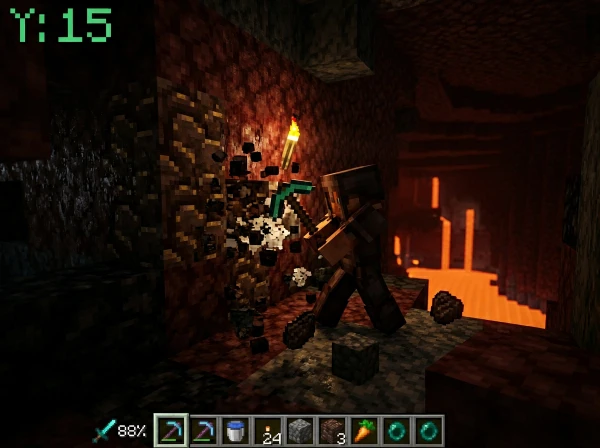
Ancient debris at Y15: Only spawns in the Nether.
Emeralds are only found in mountains at Y224.
Check our guides on diamond coordinates and ancient debris Y-levels for specifics.
Maximizing Tool Efficiency
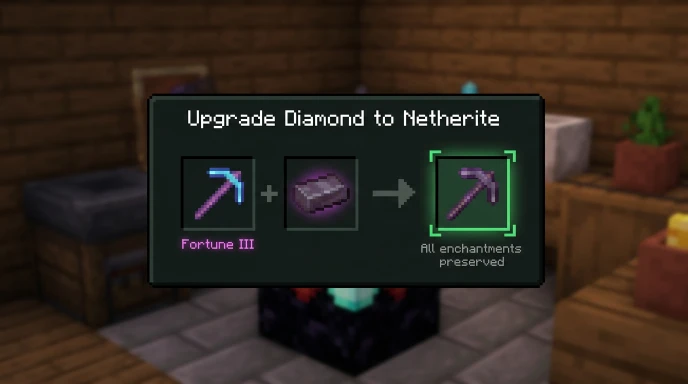
Pair the Ore Finder app with the Fortune III pickaxe.
Use efficiency-enhanced tools for faster mining.
Bring water buckets for lava safety.
Light tunnels with torches to prevent mob spawning.
FAQ
Is the Ore Finder For MC app free?
Yes, unlike many other apps, the Ore Finder For MC app is completely free and does not display any ads.
What does a Minecraft ore finder app do?
It maps ore locations using your world seed and displays exact coordinates. Input your seed, select the ore type, and get X, Y, Z coordinates for every vein. No manual mining required. Works on phones and tablets with offline access.
Is using an ore finder app considered cheating?
No. Ore finders use publicly available seed data and published algorithms. It’s like having mathematical knowledge about ore distribution. Most servers allow ore finder use. Check specific server rules if playing multiplayer.
Which ore finder app is best for mobile?
Ore Finder For MC offers full features, offline access, and a clean interface. It supports both Java and Bedrock editions. Available on the Google Play Store with regular version updates.
Can ore finder apps work for multiplayer servers?
Yes, if you know the server seed. Most public servers don’t share seeds to prevent exploits. Private servers with friends typically share seeds. Check server rules before using coordinates from apps.
Do ore finder apps work with the latest Minecraft versions?
Quality apps update for current versions. Ore Finder For MC supports Minecraft 1.20+ for both Java and Bedrock. Always verify app version compatibility before use.
Start Finding Ores Instantly
Ore finder apps eliminate hours of random mining.
Get exact coordinates without exploring blindly.
Download Ore Finder For MC from the Google Play Store today.
Input your seed once and navigate directly to every ore cluster.